Board Viewer for Windows
Boardview and schematic PDF side by side. Click a part on one and the other jumps to it. Press Power on and the board comes up rail by rail, learned from its own files. Free public beta.
How it works
Open the boardview and the schematic side by side.
Click a part and it shows on both.

Free on the Microsoft Store, the only place to get it. No account, no ads. Windows 10 (version 1809 or later) and Windows 11, 64-bit.
See it in one minute
How to use it
Show more
- Open a board
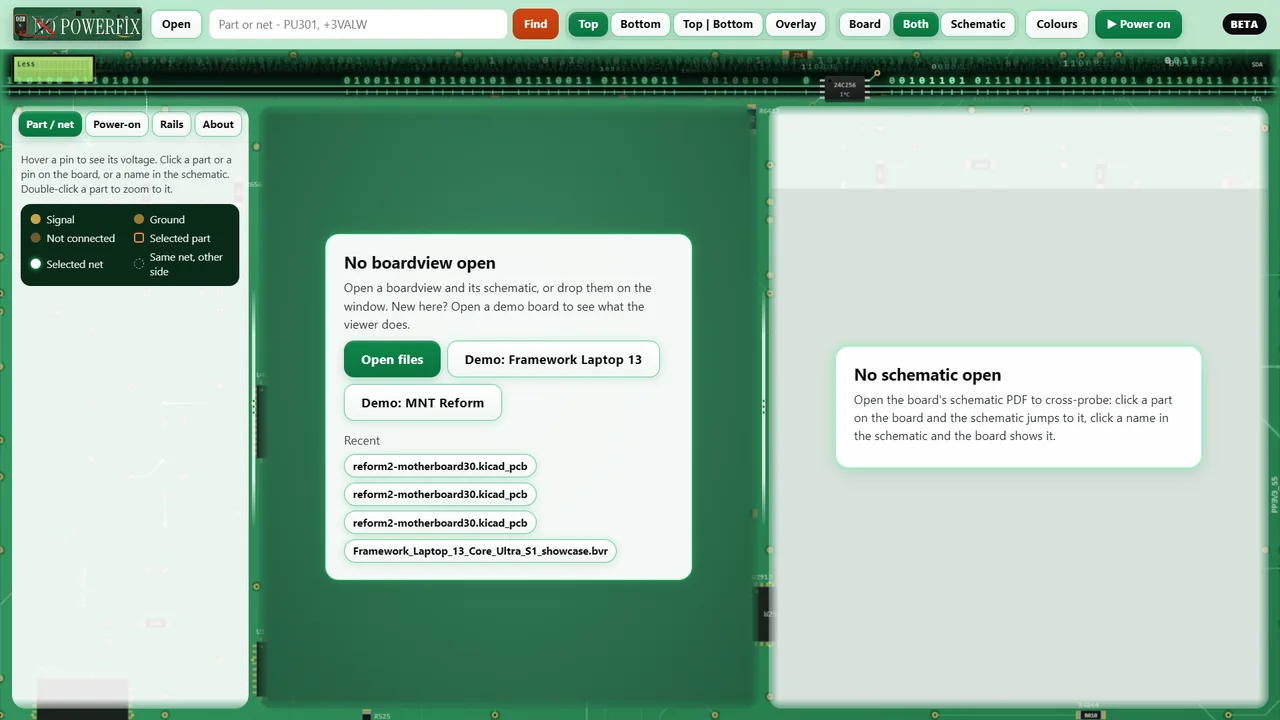
Press Open and pick your boardview, then its schematic PDF. No files at hand? Press "Demo: MNT Reform" on the start screen.
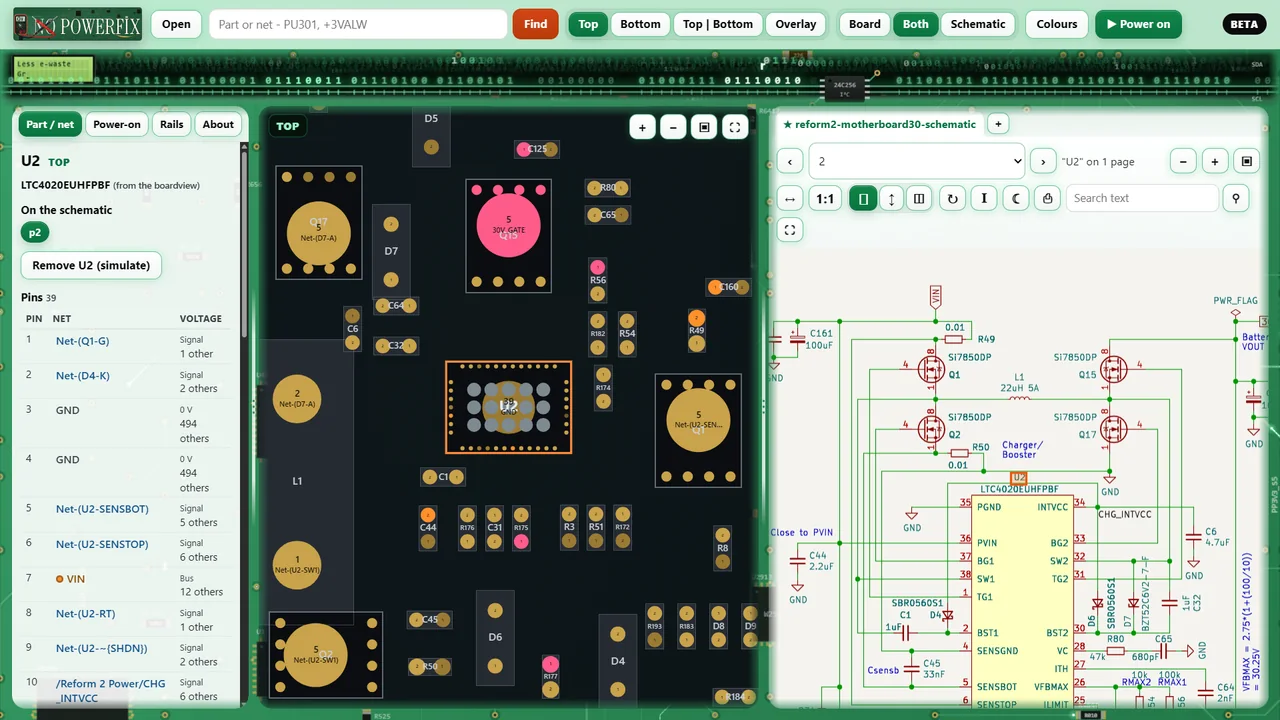
- Click a part
The schematic jumps to it and its pins are listed on the left with net and voltage. It works the other way too: click a part in the schematic and the board shows it.
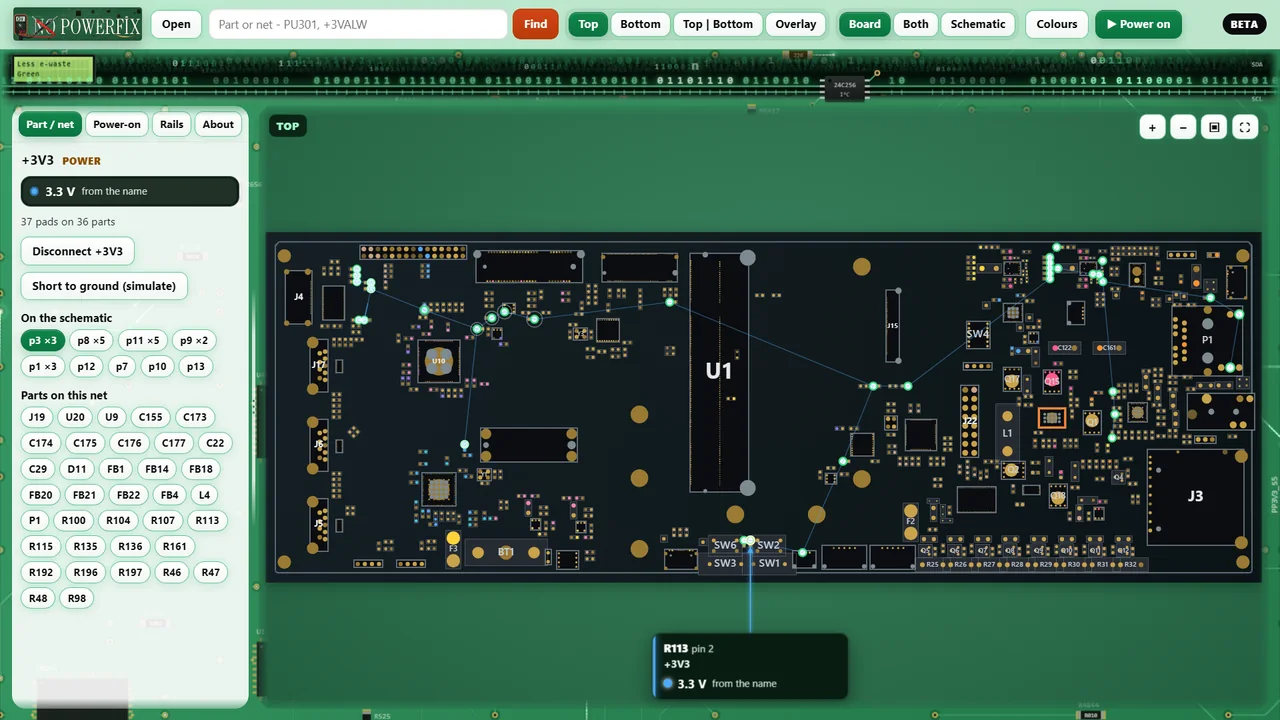
- Pick a rail
Every pad on that rail lights up, with its voltage. The Rails tab groups the rails by voltage, so you can light every 3.3 V rail at once.
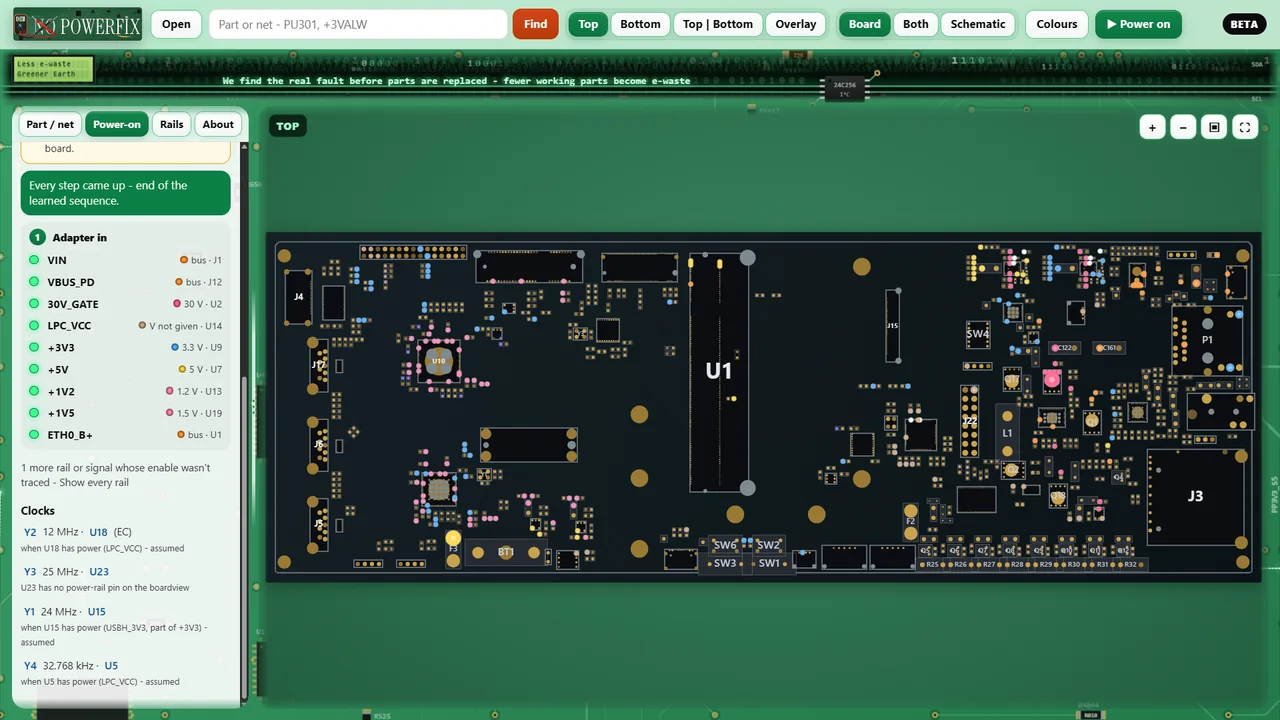
- Press Power on
The board's own power-on sequence plays rail by rail. It is learned from the netlist and the schematic's timing page.
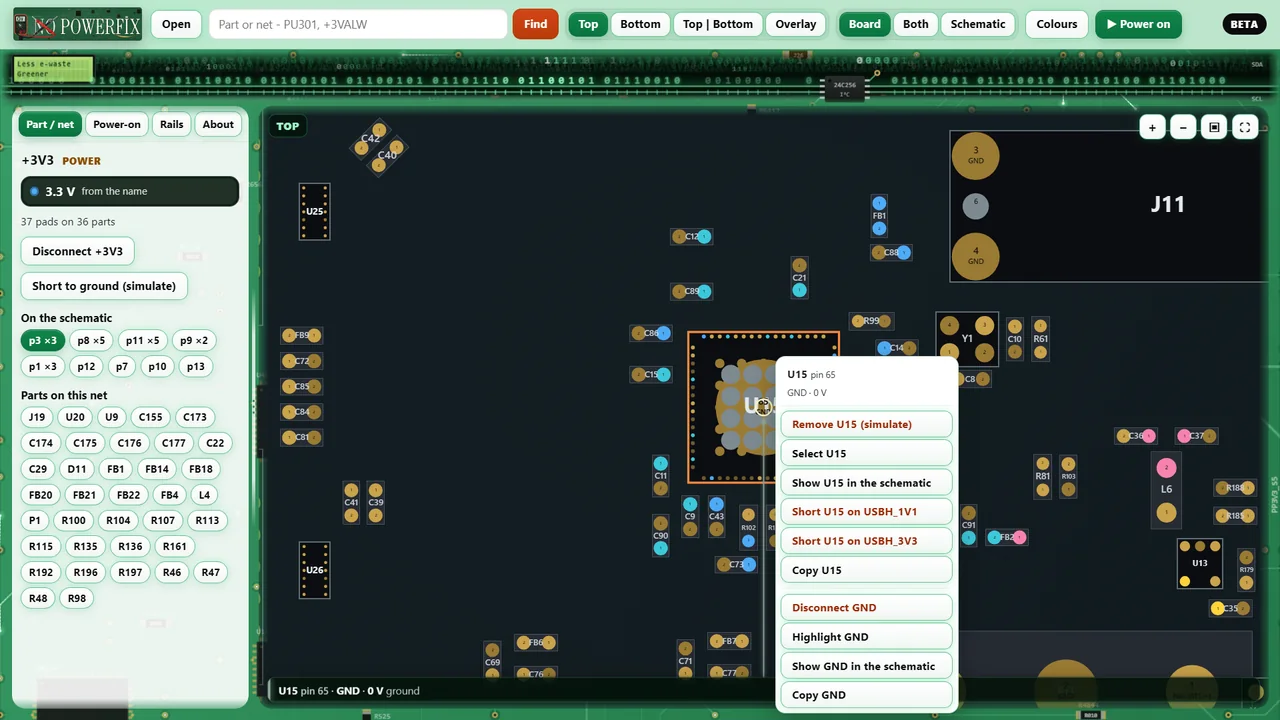
- Remove or short a part
Right-click a part to remove it, cut a rail or short it to ground, and see which rails stay off.
Files it opens
Show more
Test_Link and BRD2 .brd, Eagle .brd, BVR / BVR3, GenCAD .cad, ASC, CAST .cst, Apple BoardView .bv, KiCad, Altium ASCII, IPC-D-356, IPC-2581 and ODB++. A .zip, .7z or .rar with a boardview inside opens directly. Schematics: any PDF.
Not in the free beta: encrypted or keyed files like XZZ .pcb, ASUS .fz and Tebo .tvw.
Private
- Works offline. No account, no statistics, nothing is uploaded.
- It only reads your files and never changes them.
- "Report a problem" and "Share this diagnosis" open your own browser with the text filled in. You see everything before you post.
- Details: Board Viewer privacy.
Public beta
You may run into bugs and some features may not work properly yet. Tell us in the Board Viewer thread on our forum with the board number, the file type and what happened. Please don't post boardview or schematic files.
The power-on and the faults are a simulation from your files. Confirm by measuring before you replace parts. Demo boards: MNT Reform motherboard 3.0 by MNT Research GmbH (CERN-OHL-S v2) and a Framework Laptop 13 mainboard adapted from Framework's public files (CC BY 4.0). Not made or endorsed by MNT Research or Framework. Not affiliated with any board, chip or software company; their names only say which files open.
Free, private, built to keep devices alive
In 15 years at the bench we saw too many good devices go in the bin because nobody found the real fault. Our Hardware Specialist and Senior Repair Technicians built these tools so more devices get fixed instead of thrown away. If they helped you, a review helps the next person find them, and your support pays for the next fix.
> goal: Less e-waste · Greener Earth
We find the real fault before parts are replaced, so fewer working batteries, boards and devices end up as e-waste.